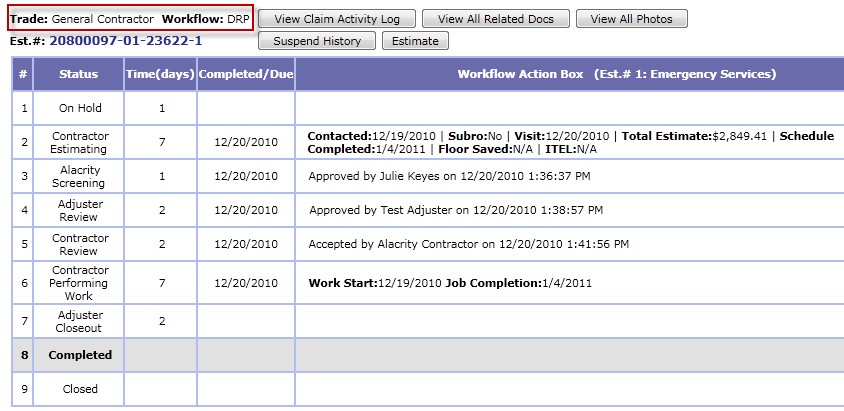
Workflow Action Box
The workflow action box shows:
View Buttons

View Claim Activity Log: Gives a detailed activity log that is time stamped. It will show the activity and the person responsible for the activity.
View All Related Docs: Shows a list (in grid form) of all the attachments, captions, file name and the person that uploaded the documents
View All Photos: Will show all photos in thumbnails by catagories: Loss photos, Estimate, Work Authorization, Certificate of Satisfaction, etc.
Suspend History

Will detail the person that placed the claim in suspend status, along with the supporting comments.
Estimate

This will show any/all estimates in pdf format in a new window. From here they can be saved and/or printed.
Return to Active Claim Main Page